
Class 19 Notes
(notes are in progress and are subject to change)
|
|
|
Class 19 Outline:
<Log On>
Discourse
Minimize Discourse
Copy 19custom from Class to shared (groups) folder
Create a folder called 19present. Check to see that your presentation is in the right folder with the correct name.
http://www.eirikso.com/2006/06/22/how-to-make-illustrations-even-if-you-cant-draw/
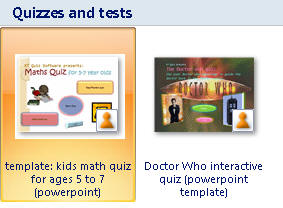
Office PowerPoint 2007 includes built-in templates and you can download additional Office PowerPoint 2007 templates by going to Office Online Templates.
PowerPoint Basic - Quick and Effective:


Advanced PowerPoint:
Timings and Advanced Effects in Power Point: Build PPT called One World in class (Tip from the readings - "Substitute emotionally intense visual images for dry bullet points")
- Special Effects (see Stacked folder in 19custom)
- Transition effects
- Stacking images
- Custom Animations - shapes and paths
- Adding and timing sounds and video
- Timing slides in Slide Show menu
Hands-on: How to Put a You Tube Video into PowerPoint 2007
Hands-on: Animating a GIF File Using Photoshop Elements 6 (review)
Tools - Optional -
HOMEWORK: Complete on Power Point presentation and be ready to present it on Thursday. See Presentation Guidelines
Be prepared to make a two minute presentation of your topic on Tuesday, November 3rd
<Log Off>