Class 22 Notes
(notes are in progress and are subject to change)
|
|
|
Introduction:
<Log On>
Discourse
Minimize Discourse
******PowerPoint Presentations and
Critiques, Continued
Please try to limit your presentation to two or three minutes - I will be happy to remind you
:-)
You can continue to use document inside 20PPTEval to take notes as others present if you wish. Please make a comment on the blogs of the student whose presentations you especially like.
TAs, please add postcard projects to the 09FallPostcard folder in the TA groups folder - thanks!!
Photoshop Elements Practice:
Note - there are 10 computers in CLT in the Video Editing section that have Photoshop *Elements*
"Painting" Color onto B&W - file: Eyes
Transforming a Snapshot into a Sepia Vignette Portrait - file: Captain
Secret Link
http://www.photoshopelementsuser.com/adobereg/pse5/?sdid=IIFW&uid=0e35245e628d9fa487567920acccd93f
The Best Link on the Internet for Photoshop Elements:
Homework:
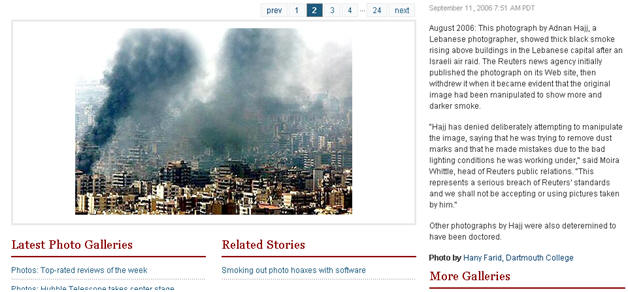
It is important to carefully evaluate the reliability of electronic web and print media, especially in an academic setting - remember http://news.com.com/2300-1026_3-6033210-1.html ?
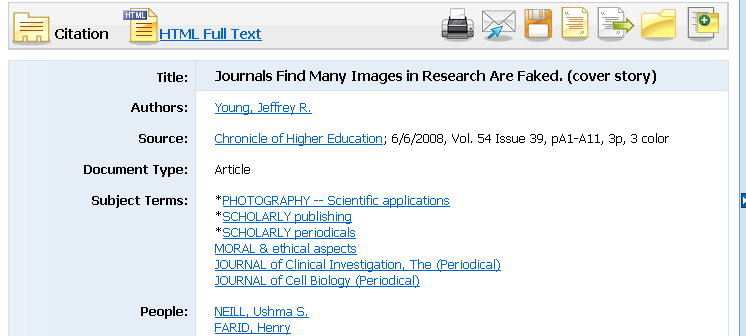
1. Look at the NYT slide show called A Brief History of Photo Fakery. Use an academic search database from the Coates Library to find the article titled Journals Find Fakery in Many Images Submitted to Support Research in the Chronicle of Higher Education, 6/6/2008, Vol. 54 Issue 39, pA1-A11,. Read the article critically and carefully. Think about a quotation from the article – for example, “Ms. Roovers might have gotten away with the image enhancements if the paper had been accepted by a different journal” - and formulate a position for class discussion and your blog entry (see below).
2. Make Your Own Picture That Lies
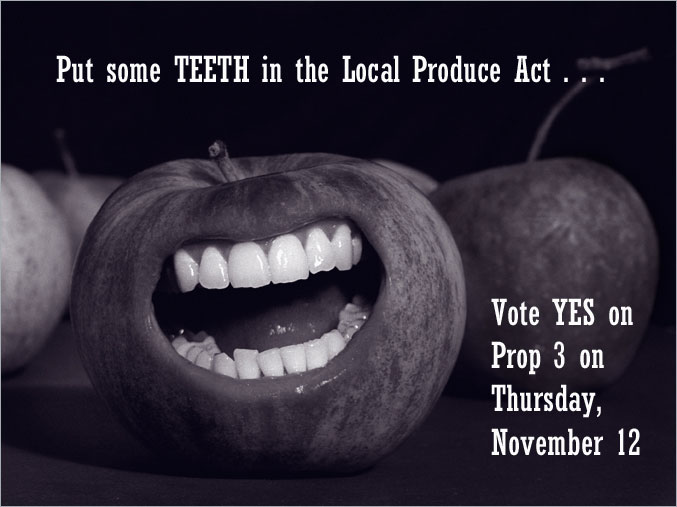
Using Photoshop Elements 6/7 tools, manipulate a photograph of your own choice so that it has a different meaning or appearance from the original (this can be your own picture or one that you download from the Internet) - Don't forget about the Stock Exchange. Use at least 3 tools or adjustments (brightness/contrast, hue, saturation, etc). You may include a text layer if it fits your purpose. Be creative! Save two copies, one as a working (layered) photoshop project (.psd file) and one as a flattened image (.jpeg). Be sure to save a copy of the original(s) in the folder. (15)3. Project Self-analysis – Make an entry in your blog (8) discussing the questions below - include your flattened image as an upload in your entry (you may need to resize it):
- What picture you chose and why?
- Where did the picture originate?
- How was it manipulated?
- Why was it manipulated?
- Was the manipulation harmful?
- Why or why not?
<Log Off>