Class 4 Notes
(notes are in progress and are subject to change)
all I hear is "I'm not real smart, but I'm imaginary smart".
|
|
|
Class 4 Outline:
Log In to Discourse 131.194.71.230
Answer Questions
Minimize Discourse
Copy 4 from Class to Groups
Review Screen Shots - show Snagit as a commercial alternative - demo edge effects, etc
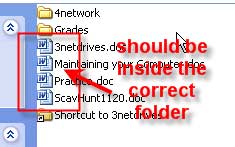
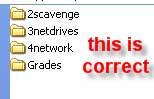
Check Your Groups Folder for Correct File Placement - no "loose" documents should be visible
All assignments should be saved with the correct name in the correct place
 |
 |
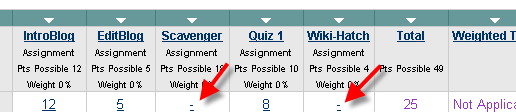
BlackBoard - sometimes assignment will be posted before grading is done
Setting Up Your Personal Grades Folder
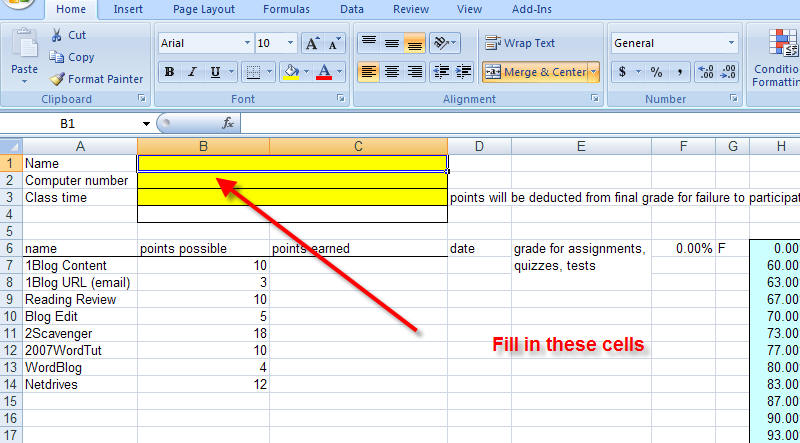
Copy MyGrades folder from class folder to your computer skills shared folder. The file in the folder is named GradesFall09.xlsx. Open the File

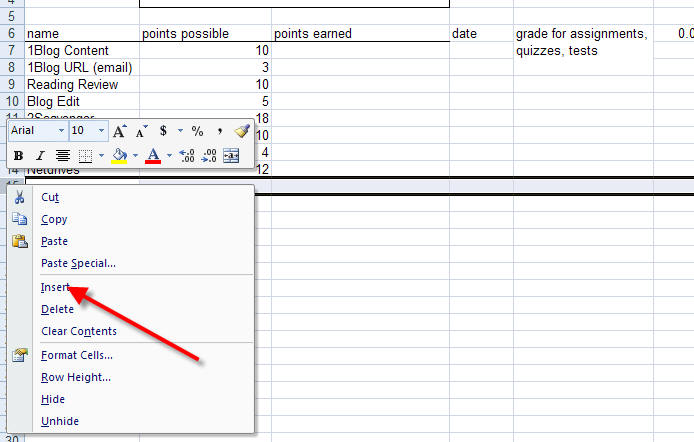
Insert cells for the next grade that you receive.
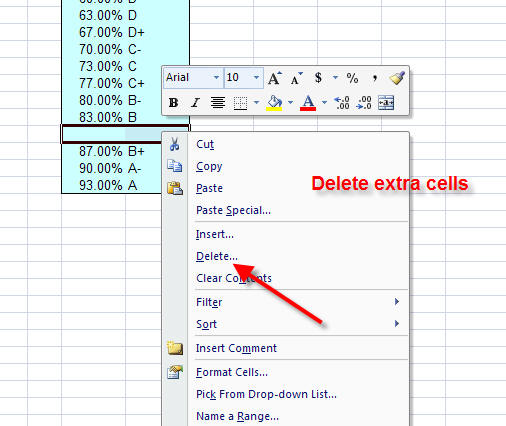
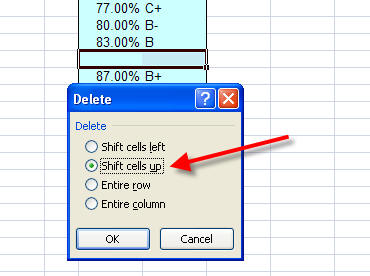
If the grade equivalent cells split, right click on the "extra" rows, go to delete, and select Shift Cells Up
Downloading Photos from the Internet:
Find the web page that has the picture you want to use - check for copyright!!!
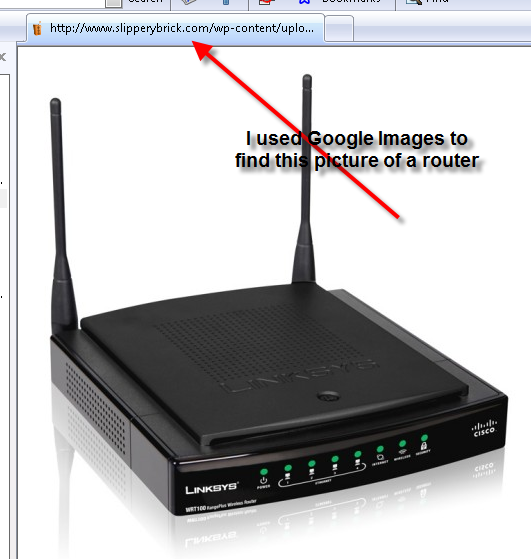
Right-click on the picture and choose Save Picture As (do not Copy):
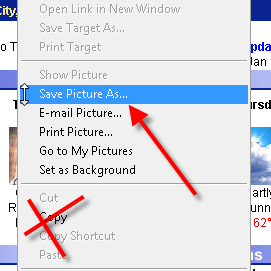
Save the picture to a file, preferably the same folder that you are working from. In other words, if you are working on the Network Diagram, save the picture in that folder. You can rename the picture when you save it.
Use the Insert command to put the picture in your document and resize it as needed.
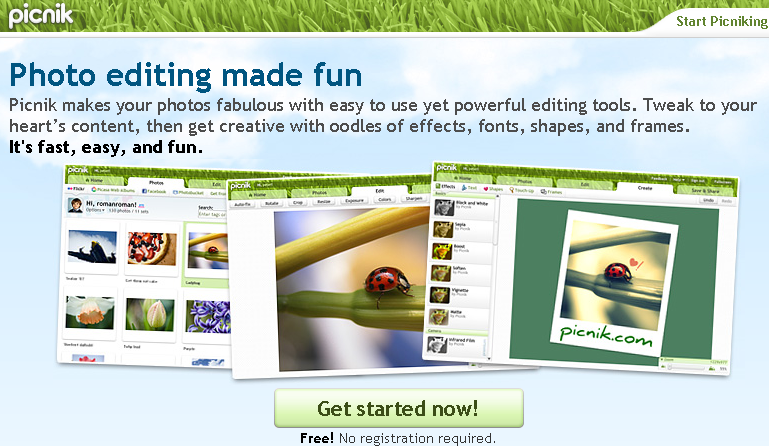
Working with Photos in MS Word 2007 and in Picnik - see the practice photos folder in 4TUNetwork
Re-coloring Pictures or Clip Art
Resizing Pictures in MS Word 2007
New Picture Features in Word 2007
Using the Drawing Tools (Continued)
Drawing basic shapes in Word 2007
Cropping Pictures in Word 2007
Create shortcuts (Review)
Shortcuts - Use help menu in Windows and look in the index for creating shortcuts.
Blog Entry: Review your notes from Joe Hatch's visit regarding computer "survival skills." Write your favorite tip from his presentation. If you actually tried any of his suggestions, CCleaner, for example, mention how that turned out.
Homework Part Two:
Open the folder called BirthdayHomework inside 4photoword. You will see a blank document called birthday.docx
<Log Out>