
Class 5 Notes
(notes are in progress and are subject to change)
|
|
|
Log On
Objectives:
Quiz Next Tuesday, Sept. 15. The quiz will cover everything we have done so far this semester, including hands-on assignments and practices in class, homework assignments, readings, information from Joe Hatch and the Server Room tour.
Copy 5tunetwork from the Class folder to your Groups folder
Update Grades spreadsheet
********Belisle's Easy Design Tips for producing professional looking documents (without a degree in Graphic Design)
Exploring Word 2007, continued - Formatting a document for publication
We have worked with the Home and Insert tabs on the MS Word 2007 Ribbon - now we will use some additional features on the Page Layout and References tabs as well.

|
|
|
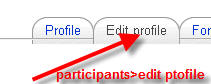
Part One: Copy your photo from the 09FallStuPics folder in class. If you have another photo (portrait-type) that you would prefer, you may use that instead. Save it to your own computer. Upload your photo to your TLearn Profile.

Part Two: Diagram of the Trinity Network
Examples (1&2)
- for Good or Evil JL
Assume you are in a dorm room and your computer uses a cable to connect to the Trinity network. Make a diagram that shows how information from your computer gets to and from the Internet.
Use text boxes, autoshape connectors, color, clip art, downloaded photos and any drawing tools that will make your diagram easy to understand. Be consistent in your design. You will find it helpful to make a pencil sketch before creating the diagram on the computer. Save you work when completed - do not move the document or change the title.
Quiz Next Tuesday, Sept. 15. The quiz will cover everything we have done so far this semester, including hands-on assignments and practices in class, homework assignments, readings, information from Joe Hatch and the Server Room tour.
Don't forget about this link - **Word 2003 to Word 2007 Command Guide
Log Out
