
Class 21 Notes
(notes are in progress and are subject to change)
|
|
|
Introduction:
<Log On>
Discourse
Minimize Discourse
Save Pictures that Lie assignment photo for the Web in the same folder - add username at front of file name - should have .jpg extension
Using the Scanner
Have a volunteer scan a photo, first at 72 ppi and then at 300 ppi. Save both files to the desk top. Open both in PSE and turn on the rulers - drag one onto the other to see what happens.
Scan stamp - because it is small, you will want to scan at a high resolution to use in PPT, etc.
Image File Sizes
Image Size and Resolution
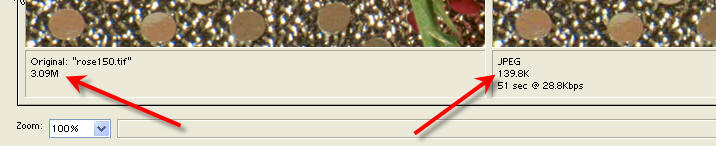
Scan Using the HP Software in Halsell Lab
Scan Using Photoshop Elements in Halsell Lab
Making a Photo Album Slide Show Using Power Point
Open 21postcard from Class to shared folder - we will continue with advanced Photoshop Techniques
In Class: Creating a Hometown Postcard using photographs in DCPics folder inside 21postcard and special new techniques in Photoshop Collages for Power Point or Web
Create a 5"x7" postcard for your hometown that can also be used as a graphic on the Chamber of Commerce website.
Based on what you learned in class, and following the directions in the tutorial called Photoshop Collages construct a postcard attracting visitors and prospective new citizens to your home town. (See example, below)

Secret Link
http://www.photoshopelementsuser.com/adobereg/pse5/?sdid=IIFW&uid=0e35245e628d9fa487567920acccd93f
The Best Link on the Internet for Photoshop Elements:
GUIDELINES for HOMEWORK
-The dimensions should be be five
inches tall and seven inches wide resolution 72ppi
-The background may be transparent or solid.
-You may choose what photographs to use - most cities and towns have a web-based
site with pictures and information about their community. Since this is a
homework assignment and will not be published to the web, copying from the
Internet is acceptable for practice. Don't forget about the
Stock Exchange. Save all photos that you use in
the 21postcard folder.
-You will use at least three photographs and each one should be placed on a
separate layer during the design process.
-Include at least two text layers in your graphic.
-you may use at least one scanned photo or object on your postcard. Be prepared to
indicate which is the scanned design element.
Show that you know how to use the following techniques:
opacity
move tool
enhancement
resize
feather
crop
brightness
contrast
hue
saturation
gradient
Show that you know how to save your graphic design as both a Photoshop elements layered version and a web-ready flattened jpeg. Both should be saved inside the 21postcard folder and be named usernamepostcard.jpg and the other will be usernamepostcard.psd.
Points: 18
6 points on effective
use of Photoshop Elements techniques including saving for web and saving a
separate layered copy
6 points on using all techniques and all elements, including text, photos and
one scanned design element.
6 points for excellence in design
<Log Off>