Class 23 Notes
(notes are in progress and are subject to change)
|
|
|
<Log On>
Discourse
Minimize DiscourseLarry.Hechler@Trinity.edu
Hardware Technician Supervisor
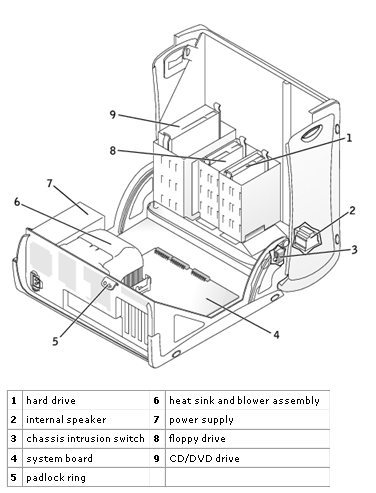
Information Technology Services:http://support.dell.com/support/edocs/systems/opgx270/en/ug/specs.htm http://support.dell.com/support/edocs/systems/opgx270/en/ug/cleaning.htm http://support.dell.com/support/edocs/systems/opgx270/en/ug/smtabout.htm#1184678 http://support.dell.com/support/edocs/systems/latd600/sm/system.htm#999507
Imagemaps in Photoshop Elements and hyperlinking it using Expression Web
Examples:

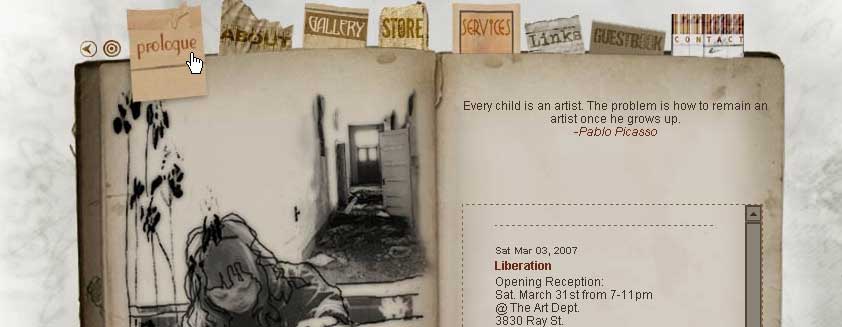
In-class activity using imagemap files in 24imagemap folder (see example, below)

Homework: Shop for a New Computer
Make a power point slide with information about a computer that you hope to buy (10) - keep the price within your budget. Save inside 23imagemap in the homework folder - save with your username On the slide, you should show:
A picture of your computer
Your name, comp # and class time as a footer
Computer Specifications
Laptop (Mac or Windows)/Desktop
Size of Hard Drive
Amount of RAM
Speed of Processor
Accessories (CD/DVD Burner, Virus Protection, Anti-spyware, etc.)
Price
Include 1-2 informed sentences about why you chose this configuration for your computer. (Storage for videos and music? Price? Screen size? Etc.)
Places to start:
<Log Off>