
Class 28 Notes
(notes are in progress and are subject to change)
|
|
|
Introduction:
Discourse
A Link that Explains the Basic Access 2007 Concepts
Intro to Database
What are some examples of databases?
Terminology
These words are used often in Access so you will want to become familiar with them when using the program (and before the final exam):
Planning is the most critical step in creating a database. The design of the database should reflect an understanding of how information will be entered and retrieved. A database that is set up correctly will save a lot of headaches in the latter stages of development. For example, if you plan to sort on zip code, there must be a separate field for zip. If you plan to alphabetize using last name, you need a separate field for last name. In general, you should break down information into small fields.
Open the Database DVDs Delivered - check the relationships between the three tables.
Sort and Filter Review:
In the DVDs database
Open the Movies table
Sort the films from oldest to most recent
Filter the films to show only the comedies
Filter the films to show only the mysteries
Change the font and background colors of the table
Queries, Reports, and Design View
Open the Members table
Create a query using the wizard to see which credit card is used most
frequently by members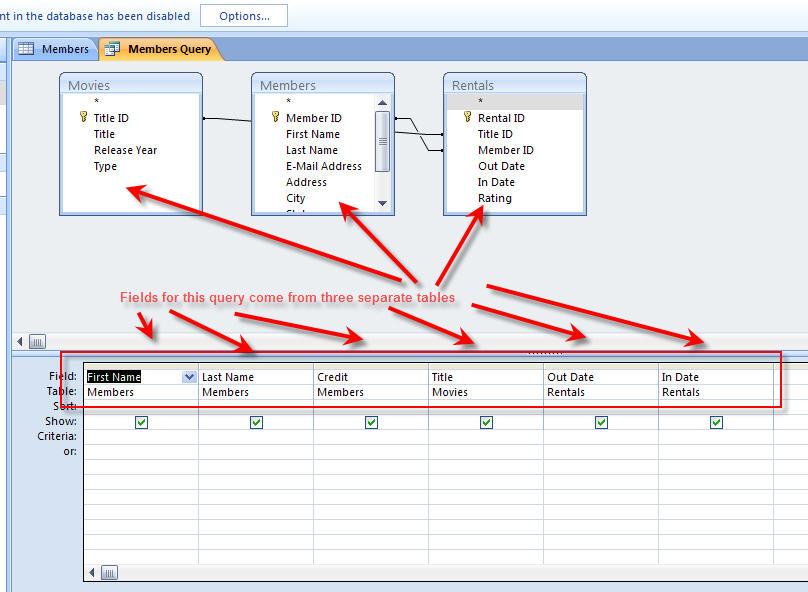
Create a report using the wizard to show this information in an organized way
Creating a simple query in Access 2007
Creating a simple report in Access 2007
Import your address database from Excel to Access 2007.
Save database into the 28advice. Name it addresses
Follow the Tutorial to createa list of addresses directly in Access.
Read through Chapter 9, Using a Relational Database - look over the exercises, you do not need to complete them (pp. 309-426)
Merging a Form letter and a
Database
Today we will create an invitation for a
Graduation Party using our
database with addresses of friends. Then we will merge them to create individual
invitations.
For the form letter we will need fields for first name and a personal comment. For envelopes we will need information about name and address.
Copy 28advice into your shared folder.

 Open
Access. Make sure that you have added
a new field to your importeddatabase and name it Comments. You will be choosing
from the list of three people to invite to the party. See that you have made a
personal comment in that field for each person. Example: "Can't wait to see you
- hope your cat is better!" Save and close.
Open
Access. Make sure that you have added
a new field to your importeddatabase and name it Comments. You will be choosing
from the list of three people to invite to the party. See that you have made a
personal comment in that field for each person. Example: "Can't wait to see you
- hope your cat is better!" Save and close.
Create Form Letter
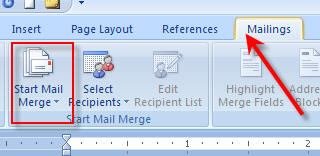
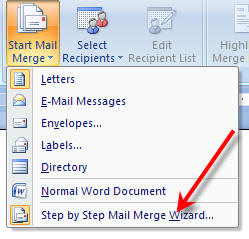
When your letter is complete, go to the Mailings tab and select Step by Step Mail Merge Wizard from the Start Mail Merge drop down arrows.
Envelope
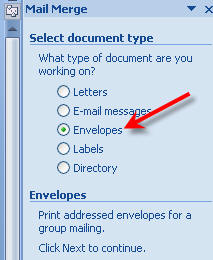
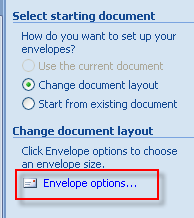
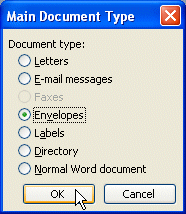

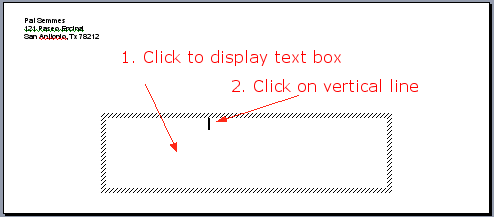
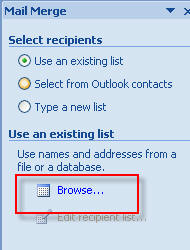


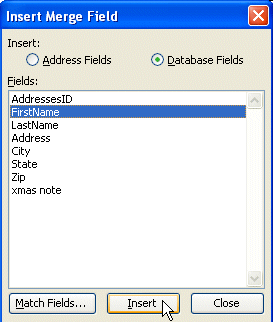
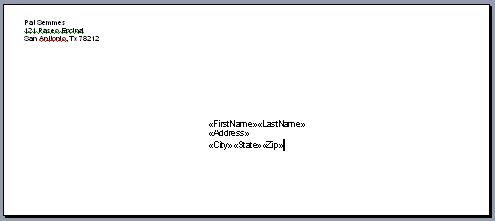
Create Envelopes by Merging
You are now ready to print your
envelopes.
Review for Final - see Final Study folder in 28advice
Homework:
Last Blog Update: One sentence of good advice for new students taking CS1300 next semester. (5)
<<log off>>