
Class 2 Notes
(notes are in progress and are subject to change)
|
|
|
Introduction:
Choose your computer for the semester at the beginning of class
<Log On>
Introduce Discourse (131.194.71.230)
Minimize Discourse
Joe Hatch: Computer Survival Skills - take notes if you like
Reading Review
Housekeeping:
BlackBoard - accessing and using
Copy 2Practice from
Class to Groups by typing
\\tucc-tiger\Groups\ComputerSkills\Belisle\
in run window
(Dr. Semmes' students will replace "Belisle" with "Semmes")

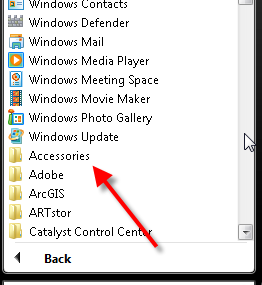
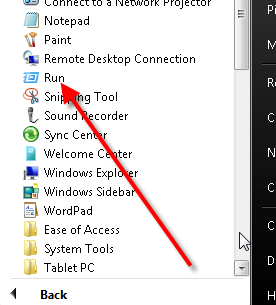
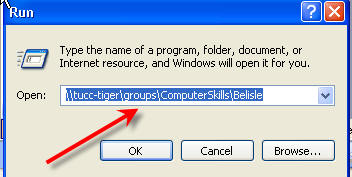
Read document in practice folder - it is important!!
Create shortcuts
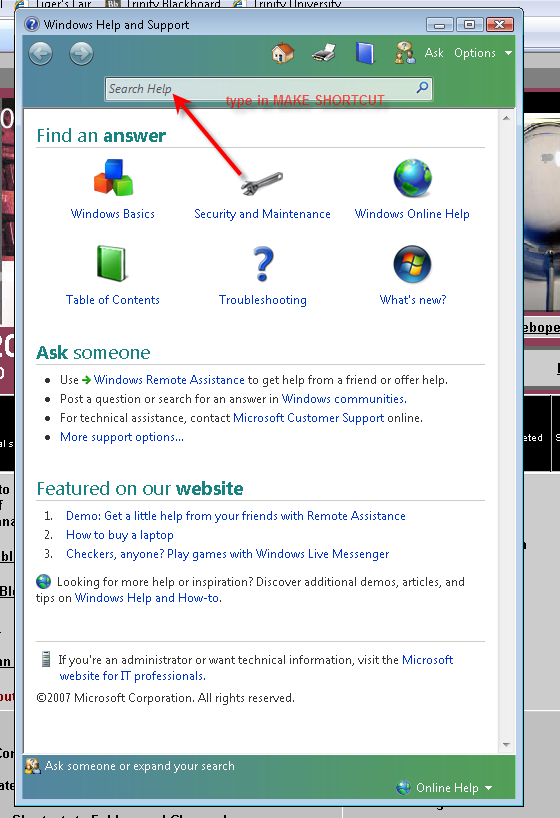
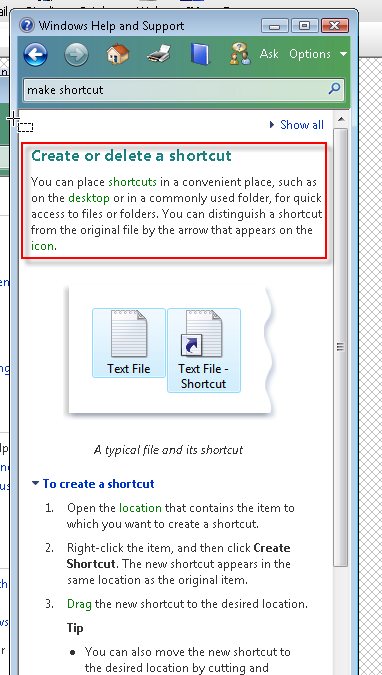
Shortcuts - Use help menu in Windows and look in the index for creating shortcuts.
 |
 |
Create a shortcut to class folder jbelisle on N drive and move it to your users folder on Y.
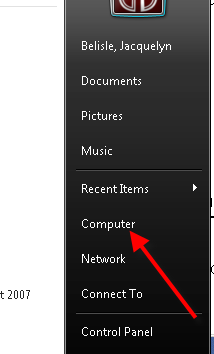
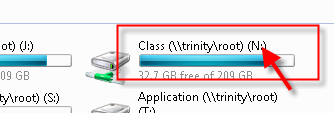

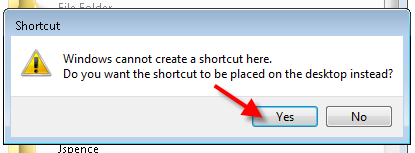

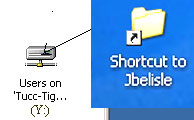


Exercise: Create a shortcut to your Computer Skills folder (\\tucc-tiger\groups\computerskills\belisle\username) and move it to your users folder on Y.
Help and Support
Creating New Folders Inside Your Y Drive:
Inside
your folder>File>New>Folder (notice other options)
Right Click to Rename
Changing Icons of Shortcuts (may not work on lab computers):
Right Click on Shortcut>Change Icon>Choose what you like
Use shortcuts to copy 2scavenge from Class to shared folder in Groups
________________________________________________________________________
In-class/Homework - Upload photos and edit blogs with a partner
How to add a photo to your profile (sidebar)
Read over these tips:
I have created a new "Edited Blog" category on BlackBoard and will award up to 5 points for edited content and style before the first of class on Thursday.
Things to look for as you review:
Name and Title on blog
Hometown
Brief background
Scavenger hunt fact
Computer background – skills and needs
New post about Joe Hatch's visit
Note: The criteria (below) will apply to every blog entry this semester and will affect your overall semester Blog Grade
Correct grammar – some informal phrasing might be acceptable
Correct punctuation and capitalization
Complete sentences
No slang or non–standard usage
Appropriate photos
Homework:
Part One:
Wiki Entry (4)
Open the class wiki page. Do not log in from
Blackboard - log in directly from the address bar:
http://cs1300.pbwiki.com - the password
is tigers1300. Click on the link to your class time, then click on the
Joe Hatch page. Add a one-sentence entry about something you learned from Joe
(be sure to sign your name to your entry).
Part Two:
Scavenger Hunt Assignment (18)
1. In your shared (Groups)folder in \\tucc-tiger\groups\ComputerSkills\Belisle\ there is a folder named 2scavenge with your class time.
2. Open the folder, open the file in the folder, and answer the questions. To answer the last question, you will first need to leave comments on two of your classmates’ journal entries. Please choose entries that do not already have two comments; then copy and paste the URL of the blog where you left the comment. For example, if you left a comment on Ms. Belisle’s journal entry, the URL would be: http://www.lynbelisle.blogspot.com
3. Save the document inside the 2scavenge folder.
Note: Please make sure you have your textbook by the next class
<log off>