
Class 3 Notes
(notes are in progress and are subject to change)
|
|
|
Log On
Objectives:
Discourse
Minimize Discourse
Tour of Server Room - take notes using the worksheet and diagram provided
We will be creating a diagram of how the Trinity University Network functions. This assignment will be due on Thursday, January 29.As practice for your Trinity Network diagram, you will make a diagram of how the network folders (Y Drive, Groups, Class) work. See Homework.
Working with MS Word Drawing tools
Use shortcuts in Y drive to copy 3netdrives folder from class folder to groups folder
The 3netdrives folder has two documents and one
subfolder called Homework inside of it.
Hands-on in class:
Drawing Basic Shapes in MS Word 2007

Open the document titled In Class Basic Word Shapes. We will complete this in class. You will use these techniques to complete your Network Drives Diagram for homework.

Review: Add A Drawing to a Document (MS Online)
The 3netdrives folder has two documents and one
subfolder called Homework inside of it.
Hands-on in class:
Making Screen Captures
Note: Screen captures are extremely useful for tutorials, diagrams, and for troubleshooting problems with your computer. Once it is on the clipboard, it can be pasted into other applications besides Word, including outlook and Excel.
If you have XP, desktop or laptop:
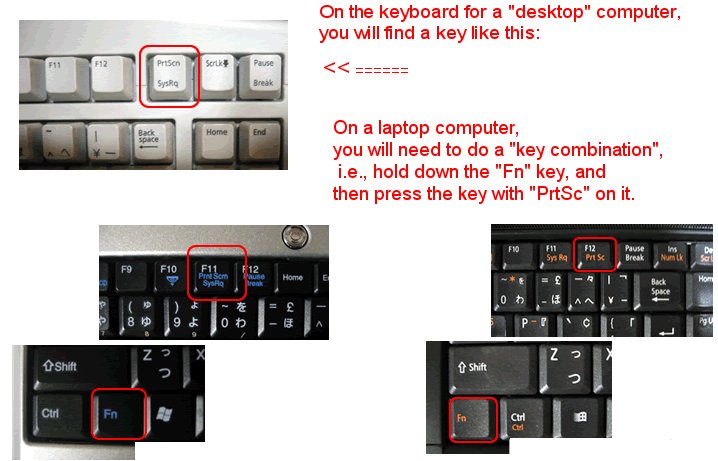
Source:
http://www.noveltyhill.net/Handouts/Screen-Capture-in-Windows.html
Open the document titled In Class Screen Shot Practice. We will complete this in class - you have a similar homework assignment document to complete using your own computer.

Part 1
Part 2&3
4netdrives/Screen Captures
<Log Out>