
Class 7 Notes
(notes are in progress and are subject to change)
|
|
|
Introduction:
<Log On>
Word Objectives:
Be able to set margins (Page Layout tab >> Page Setup)
Be able to insert comments (Review tab >> Comments)
Be able to use spell check feature. (Review tab>>Proofing)
Be able to insert page breaks. (Insert >> pages)
Be able to use styles (Home >> Styles)
Be able to use the format painter
(Home >> clipboard)
Be able to use increase and decrease indent
Be able to insert headers and footers and page numbers.
Be able to use tabs, including decimal tabs and tab leader.
Be able to format bullets and numbering.
Be able to create a numbered list.
Be able to use the clipboard with multiple copies before
pasting.
Be able to create a table, enter data and format individual
cells.
Be able to use MS Word 2007 to save document in PDF format.
Discourse
Minimize Discourse
Quiz 1 - The quiz covers everything we have done so far this semester, including hands-on assignments and practices in class, homework assignments, readings, information from the Server Room tour, and copyright information presented by Diane Graves.
Ms. McCollum's Student Word Drawings
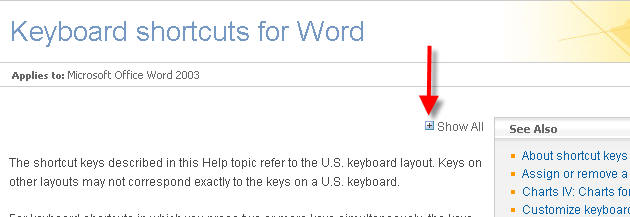
Keyboard shortcuts in Word 2007 - take this link and then click Show All - shortcuts are grouped by their functions
MS Word 2007, Continued
In Class:
Create a Word 2007 document like the Word Example PDF file using the techniques, above.
Please return worksheets at the end of class
Working with Tables and Formatting in Word 2007: Volcanoes (Exercise from Textbook Chapter 4, pp. 140-155) - if not finished in class, complete for homework.
Please return worksheets at the end of class
Managing Email (if time, may be postponed until a later class)
Homework (Review Chapter 4 in text on advanced formatting - good idea to go over Volcanoes again):
Bike Flyer
Open the Bike Flyer subfolder inside your shared (Groups) 7wordextras folder. It contains everything you need to complete the assignment, including a PDF file of how the finished flyer should look. Use the blank document called Finished_Flyer to do your assignment ( you will need to copy and paste the text). Format the text exactly as you see in the example and follow the directions in the folder to do your assignment. Save the Finished_Flyer inside the Bike Flyer subfolder. (15)
<log off>