
Class 8 Notes
(notes are in progress and are subject to change)
|
|
|
<Log On>
Discourse
Minimize Discourse
Word Advanced Formatting, continued from class 7
Open Word practice assignment: - proceed with Table Formatting using the clipboard
Open Volcanoes - proceed with formatting Table of Contents, Tables, etc. in class
Copy 8spread from Class folder to your Groups (shared) folder.
Open a new blank Excel workbook. Call it Practice and save it in 8spread.
Excel Basics - cells, rows, and data types
Formula bar
My Dear Aunt Sally
Entering and moving information
Autofill & Format Painter
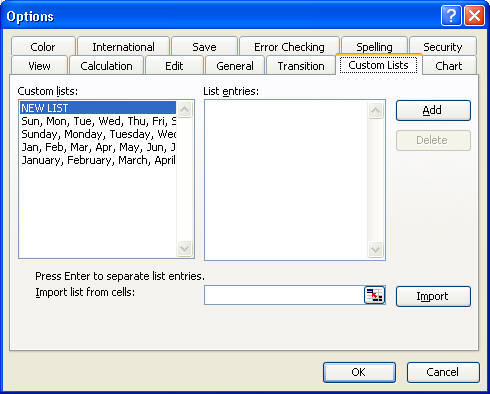
Tools Menu & Custom Lists
Using the Print Preview and Page Setup menu

Spreadsheets:

Using an Excel Spreadsheet as a Database to address Valentines :-) (Activity depends on hands-on time in class)
Reading: Text: Chapter 5: Using a Spreadsheet, pp
185-242
Hands-On:
\\


Note - you do not need to print out the worksheets as instructed in the book, but make sure they are completed and saved in the correct folder
<Log Off>