
Class 9 Notes
(notes are in progress and are subject to change)
|
|
|
Introduction:
Benjamin Harris,
Reference Librarian
TU Library
Copy the 9library folder to your groups folder. There is a file named Harris that you may use to take notes during the presentation.
Mr. Harris will talk about all the facets of the Trinity Library Website including the databases available free to the Trinity community.
You will be proficient in keeping track of your references by the end of this class.
Homework:
Part 1:
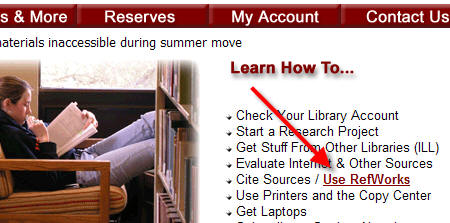
RefWorks
Find 6 references relating to one of the
topics (below) that you think would be interesting to other students in the
class and make a reference list of your citations using MLA style. Copy and
paste it into a Word document and save it in your 9library Groups folder as RefWorks
(document already exists and is set up for you). PRINT your
list and bring it to class. Read at least one of the articles that interests you
and be ready to discuss it in class. See the link below to review the RefWorks tutorial.
http://www.refworks.com/tutorial/
Part 2:
Class Wiki:
Take the link to the page for your class called Benjamin Harris. Review
your notes and make up one good college-level
question and answer about Mr. Harris's presentation that would be suitable for
a test - sign your name. (You may assume that students who take this test can use the links on the
library web page to answer the questions.)
Managing Email (if time, may be postponed until a later class)
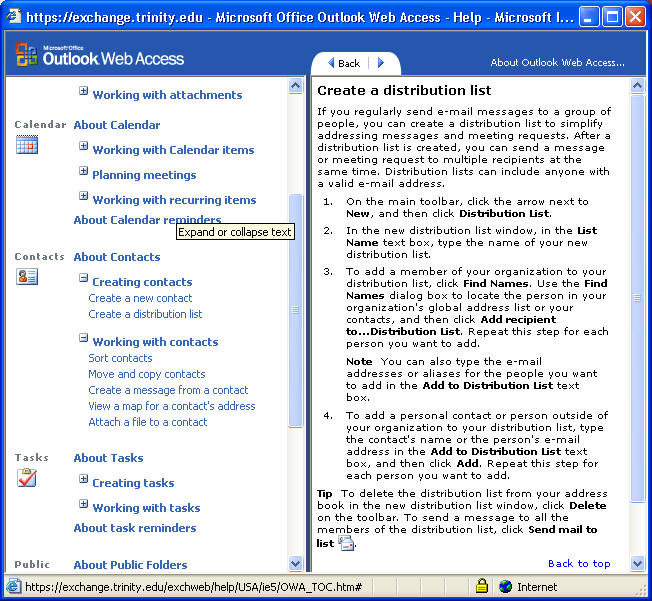
Web mail - spell check, junk mail, calendar, global address book, folders, rulesCreating a Distribution List:
Making a map from a contacts entry
<log off>