Class 10 Notes are in progress and are subject to change
|
|
|
|
|
<Log On>
FYI:
Discourse
Minimize Discourse
Copy 10harris folder from Class folder to your Groups (shared) folder.
Copy the 10harris folder to your groups folder. There is a Word file named Benjamin Harris that you may use to take notes during the presentation. Mr. Harris will talk about the Trinity Library Website including the databases available free to the Trinity community.
Refworks Links: Need help getting your RefWorks account started? Here are some training items that will help make it easier for you to start using RefWorks! Free training webinars are also available. The webinars are available from a variety of time zones and are also conducted in a number of languages– click on the link below to see our current schedule!
Webinar Schedule – http://www.refworks.com/content/webinars/default.asp
Quick Start Guide – http://www.refworks.com/content/quick_start_guide.asp
RefWorks Fundamentals Tutorial: http://www.refworks.com/tutorial/
In Class: Two spreadsheets reviewing charts and graphs
Homework:
Ebook Spreadsheet
Go to the Trinity Coates Library website and do a search for books in full-text electronic form on one of these subjects:
Digital Photography
Desktop Publishing
Creating Web Sites
Gourmet Cooking
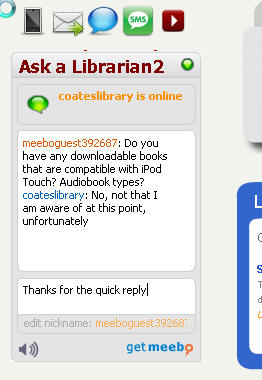
Choose five books from those returned in your search to review briefly. You may use books that are related to those search terms. If you have trouble, use the online Ask A Librarian.
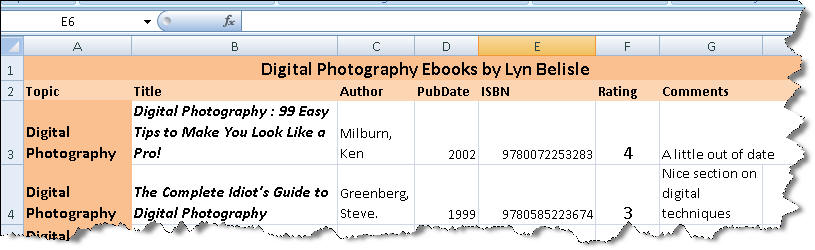
Open the spreadsheet titled electronicsources.xlsx and fill in the information under the heading columns.
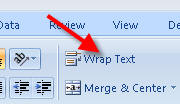
Use the Wrap Text option when the information is long. (Hint: you may need
to reformat the ISBN number to make it display correctly.
Rate the books from 1-5 in the Rating column based on whether you would use them and recommend them to a friend (1=favorite, 5=least favorite).
In the Comment column, write a few words justifying your rating of that electronic book.
Finally, insert a row at the top of the spreadsheet and merge and center an appropriate title, then format the spreadsheet with fills and fonts similar (but not necessarily identical) to the example.
Save your completed spreadsheet in 10harris/homework/electronicsources.xlsx (do not rename or move).
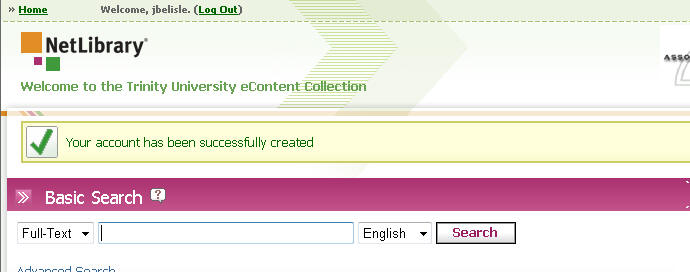
If you do not have an account with NetLibrary, create one (see below)
| Look below - Live chat works!!
|
Create and account on
NetLibrary - it's
free
|
<log off>