Class 4 Notes are in progress and are subject to change
|
|
|
|
|
Log On
Log In to Discourse 131.194.71.230
Discourse
Minimize Discourse
Speaking of Networks - your wireless
network at home, the Trinity network, and this one: Interesting article
with lots of pictures:
http://www.cbsnews.com/8301-
Copy 4TUnetwork from the Class folder to your Groups folder
The Big Picture - The Trinity Network (where does tucc-tiger live?)
Walk downstairs to the Trinity secure server room - take the notes sheet and ask questions if you wish.
Create Grades spreadsheet
Copy MyGrades folder from class folder to your computer skills groups (shared folder). The Excel file in the folder is named GradesSpring.xlsx. Open the File
Be sure the highlighted cells are filled in
Open TLearn and Excel MyGrades worksheet

Fill in your grades on the Excel worksheet.
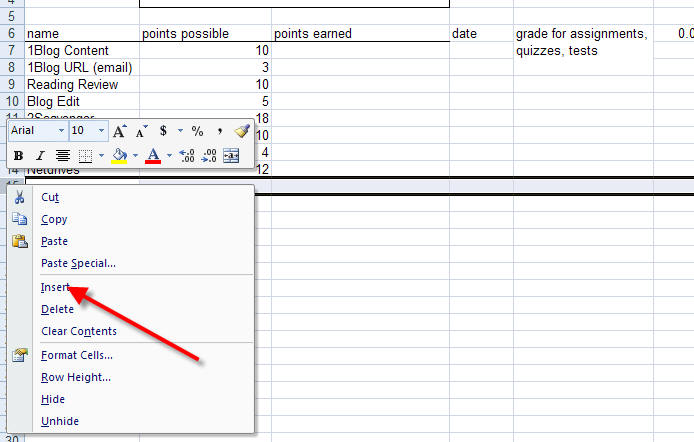
Insert cells for the next grade that you receive.
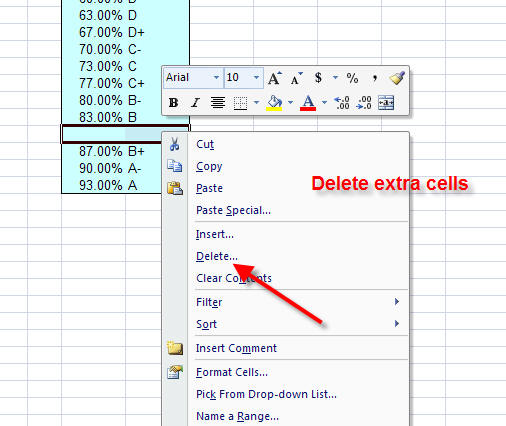
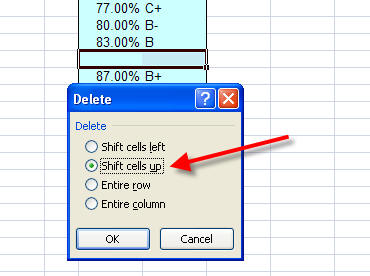
If the grade equivalent cells split, right click on the "extra" rows, go to delete, and select Shift Cells Up
Click on cells B14 and C14, to see the formulas entered.
How you interact with the Trinity Network - you are a student worker and you have been asked to diagram the TU Local Area Network (LAN) for san upcoming conference.
Assume you are in a dorm room and
your computer uses a cable or wireless access to connect to the Trinity
network. Make a diagram that shows how information from your computer gets
to and from the Internet.
Use autoshape connectors, color, clip art,
photos and any drawing
tools that will make your diagram easy to understand. Be consistent in your
design. You will find it helpful to make a pencil sketch before creating the
diagram on the computer.
Here is a sheet with helpful information to use as a guide - don't take it as 100% of your assignment! You may want to print this sheet.
There are examples for your evaluation in the 4TUnetwork folder. Not all the information will be current or correct but the design might be useful. You may use any of the photos in the NetworkPics folder
You may use any of the photos in the NetworkPics folder .
<log out>