Class 5 Notes are in progress and are subject to change
|
|
|
|
|
Log In to Discourse 131.194.71.230
Minimize Discourse
NOTE: You will have a quiz on Tuesday over everything we have covered so far (hands-on assignments and practices in class, homework assignments, readings, information from Ender, and the Server Room tour)
Class 5 Outline:
Update the Excel 2010 spreadsheet of each individual student's semester grades
Word documents - advanced techniques
Exploring Word 2010 - Formatting a document for publication
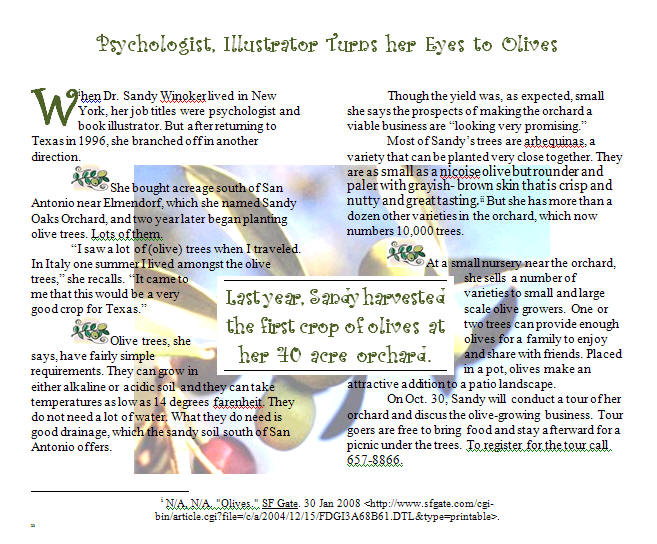
Show templates and show how to customize them: Newsletter/Publication Templates in MS WORD
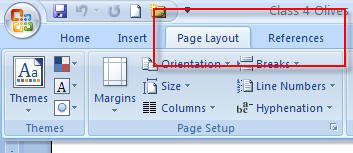
Page Layout and References
|
|
|
Part One-using Lynda.com:
Using the Lynda.com tutorials through the Trinity University campus account.
Log in or create your account at lynda.trinity.edu
See the Assignment Guidelines. You may download the tutorial exercise files on your own or copy them from the Class folder inside LYNDA.
Work through the exercises, either Chapter 8 for Windows or chapters 13&14 for Macs.
In a new blog entry called Using Lynda.com, upload a screen shot of your tutorial project in progress, it doesn't particularly matter where (pause the video and take a screen capture). Under the screen shot write an entry critiquing the experience. Was it easy to use? How did you like the presenter's voice, timing and delivery? What were the problems you encountered, if any? Discuss and compare learning from a self-paced tutorial with learning in class as a group.
At the end of your entry, name one or two new things that you learned about MS Word from using the Lynda.com tutorial.
PART TWO-hands-on formatting:
Open the folder called BirthdayHomework. You will see a blank document called birthday.docx
Use your Internet search skills and knowledge of MS Word to produce a one-page report on someone famous who shares your birthday. Include a picture of the person downloaded from the Internet. Describe this person's accomplishments and decide what characteristics you share with them, if any - many people who study astrology think that people with shared birthdays also share some personality traits.
Include the following Word features:
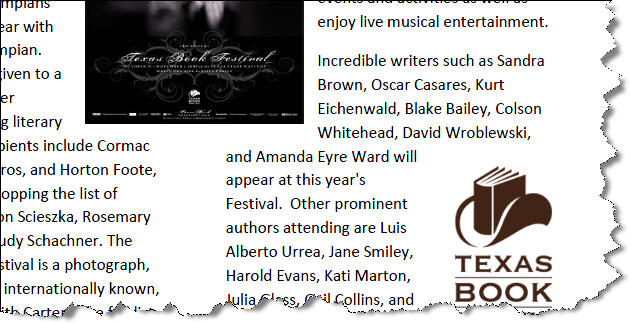
Two column format (excluding title and references)
Text box "Pull Quote"
Font changes, your choice
One clip art or autoshape and one downloaded photo of your “birthday buddy” from the InternetAt the end of the report, insert an endnote and list the search engine(s) and directories that you used to get your information.
Demonstrate your knowledge of good design and correct grammar and spelling.
<log off>